If your Epson M1120 printer is showing a “Service Required” message or blinking red lights, it usually means the waste ink pad counter has reached its limit. This is a common issue with Epson printers, and the good news is—it can be fixed easily with a resetter tool.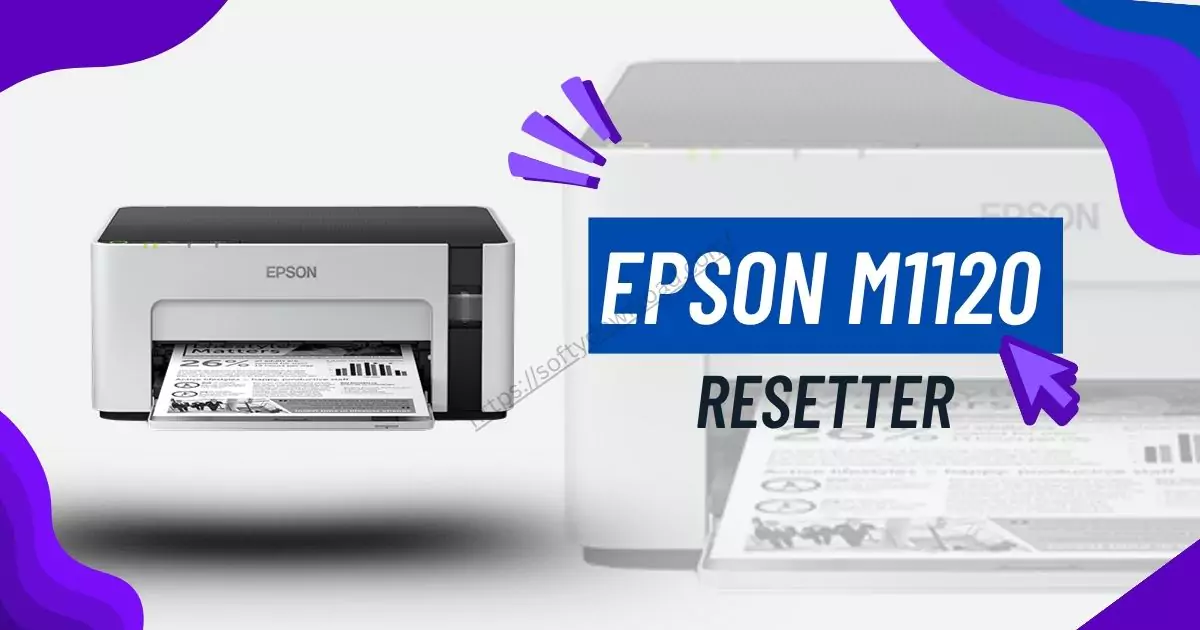
What Is the Epson M1120 Resetter Tool?
The resetter tool, commonly known as the Adjustment Program, is a little piece of Windows software that resets your printer’s waste ink pad counter. The ink that is discharged into a sponge pad during cleaning is monitored by Epson printers. To avoid overflow, the printer shuts off when a certain limit is reached.
To enable you to continue using your printer, the resetter instructs it to reset the counter to zero.
How to Use Epson M1120 Resetter
Step-by-Step Instructions:
- Download Epson M1120 resetter from trustful and safe website.
- Unzip downloaded file using extraction software (like WinRAR or 7-Zip).
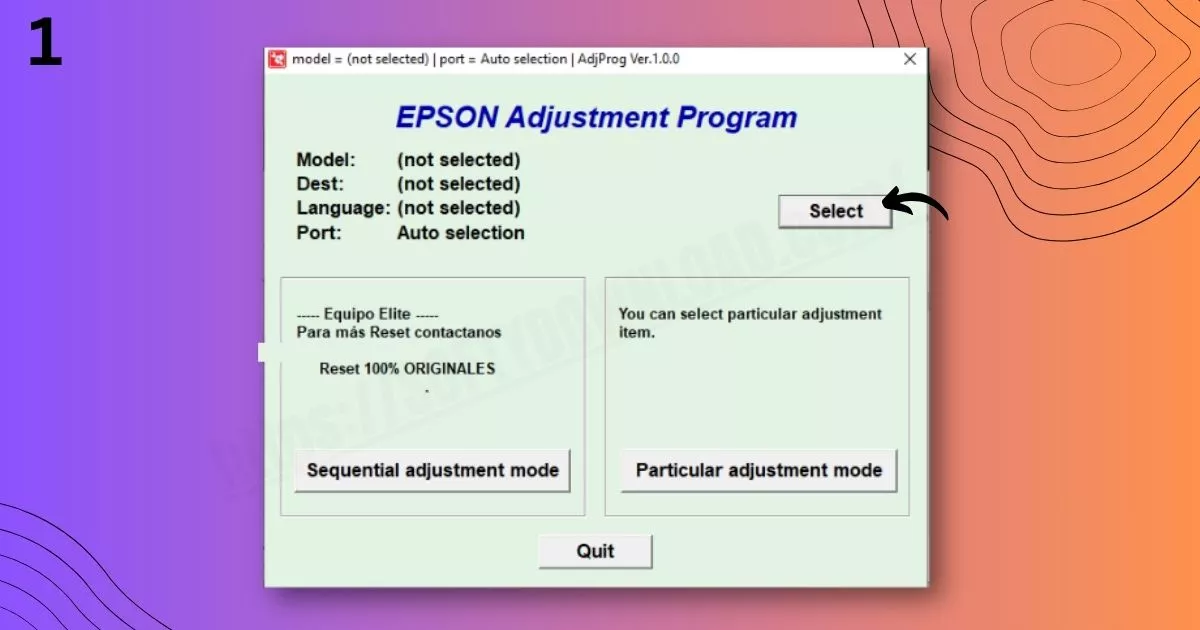
- Open folder and click on program named AdjProg.exe.
- Connect your Epson M1120 to your computer with the help of USB cable.
- Make sure the printer is turned on.
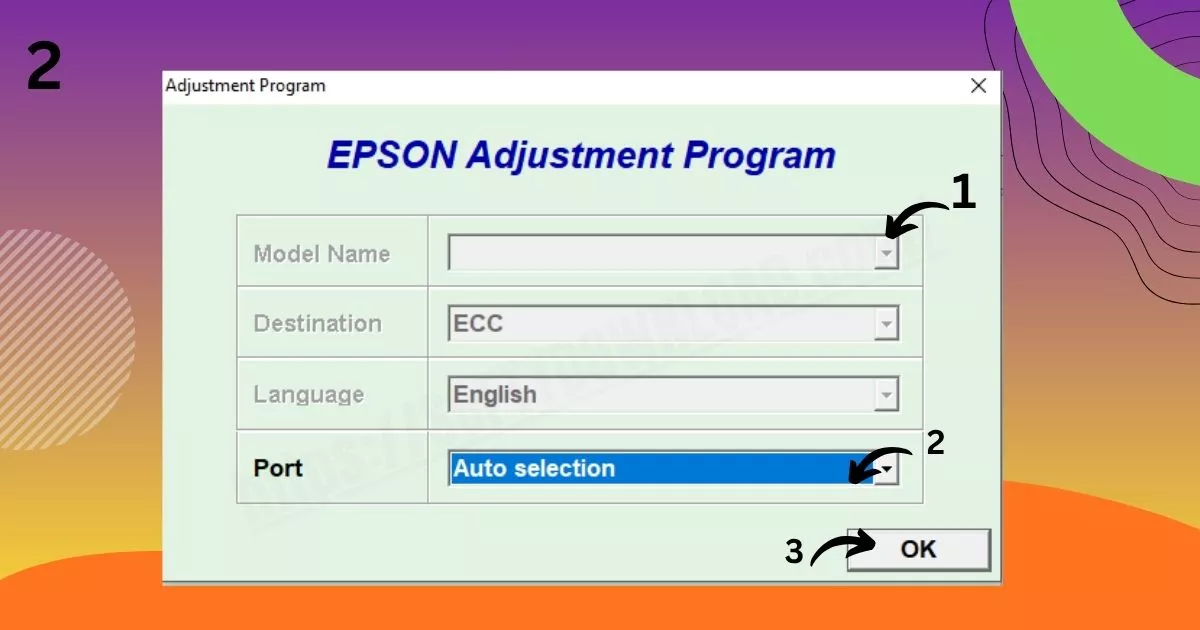
- In the reset tool, select your printer model if needed.
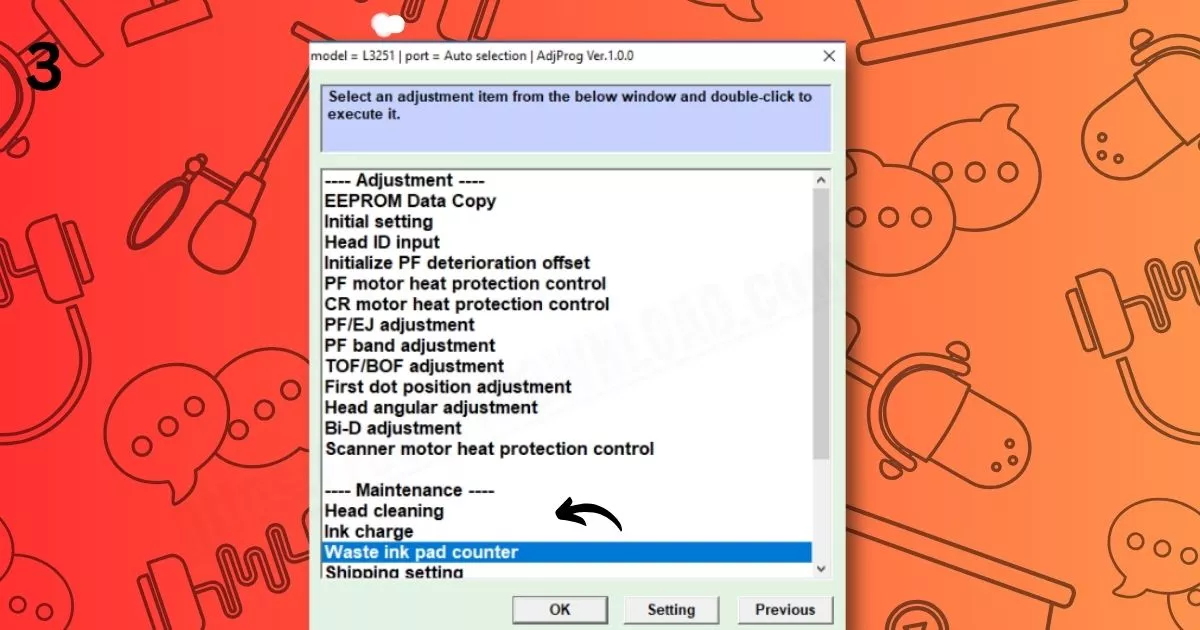
- Click on “Particular Adjustment Mode.”
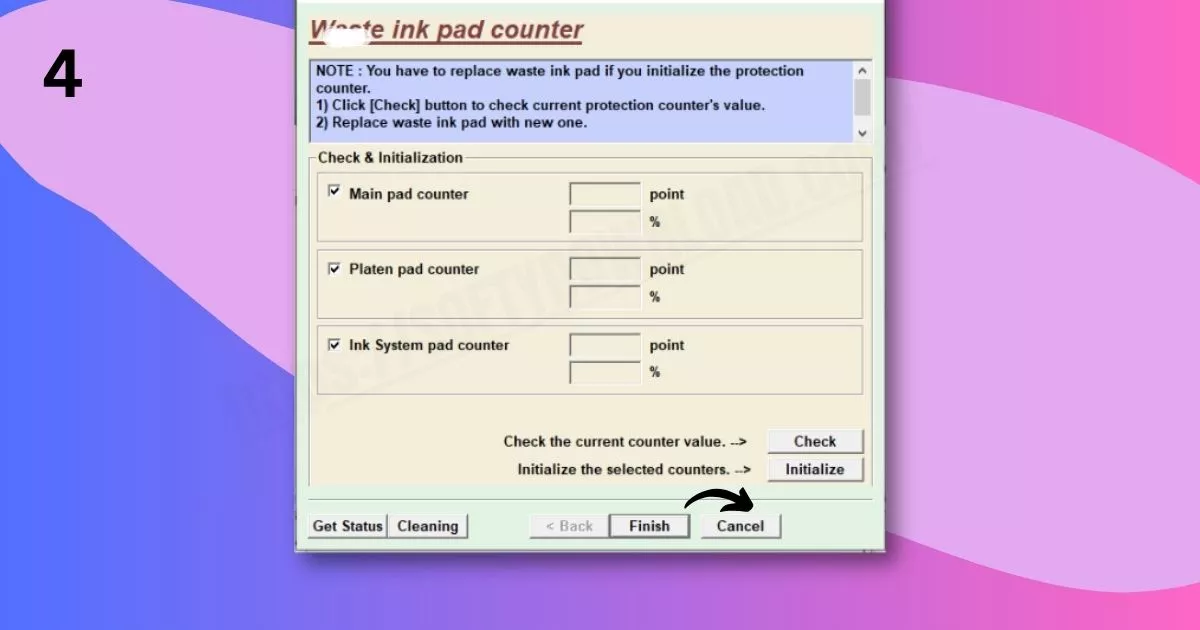
- Choose “Waste Ink Pad Counter.”
- Tick the box for “Main Pad Counter.”
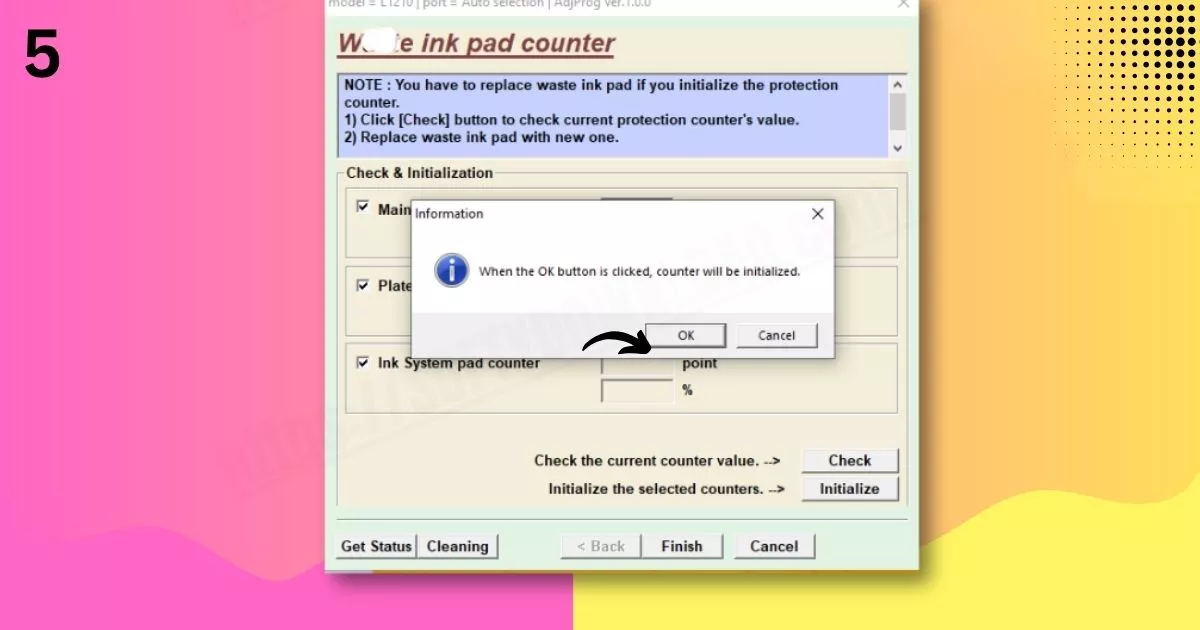
- Press “Check,” then click “Initialize.”
- After it finishes, turn off the printer.
- Turn it back on—your printer is now successfully reset.
Important Notes
- Only reset when the error appears—unnecessary resets can shorten printer life.
- After 1–2 resets, clean or replace the waste ink pad to avoid internal ink overflow.
- Some reset tools are free, while others (like WIC Reset Utility) may ask for a paid reset key.
- Always scan the tool for viruses if you download from third-party websites.
Frequently Asked Questions (FAQs)
- What is the “Service Required” error in Epson M1120?
A: It means the waste ink pad counter is full. The printer stops to avoid damage from ink overflow. - Is the resetter tool safe to use?
A: Yes, if downloaded from a trusted and virus-free source. - Do I need to buy a reset key?
A: Some tools are free, while others like WIC Reset Utility require a paid key for activation. - How many times can I use the resetter?
A: As many times as needed, but it’s best to service the ink pad after every 1–2 resets. - Will resetting fix all printer errors?
A: No. It only fixes waste ink counter-related errors. For cartridge, driver, or hardware issues, other solutions are needed.