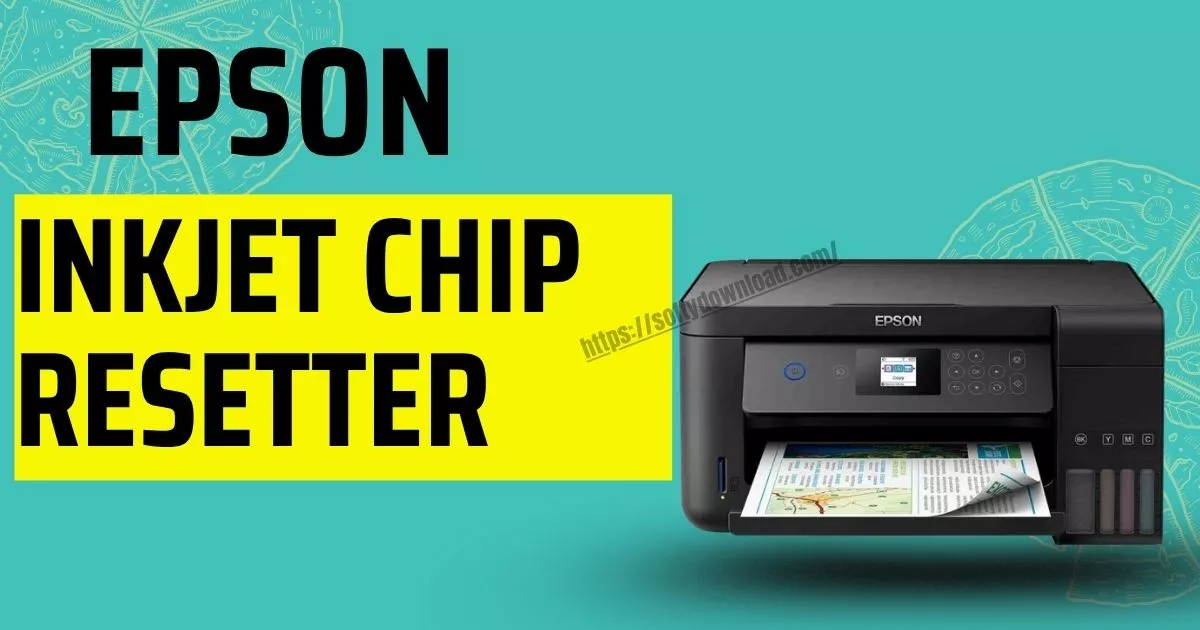

If your Epson M205 printer suddenly stops working and shows a “Service Required” message, it can be frustrating—especially when you need to print something urgently. But don’t worry! This issue is often caused by the waste ink pad counter reaching its limit. Fortunately, there’s an easy fix: a resetter tool.
Let’s understand what this tool does, how to use it safely, and when you should actually reset your printer.
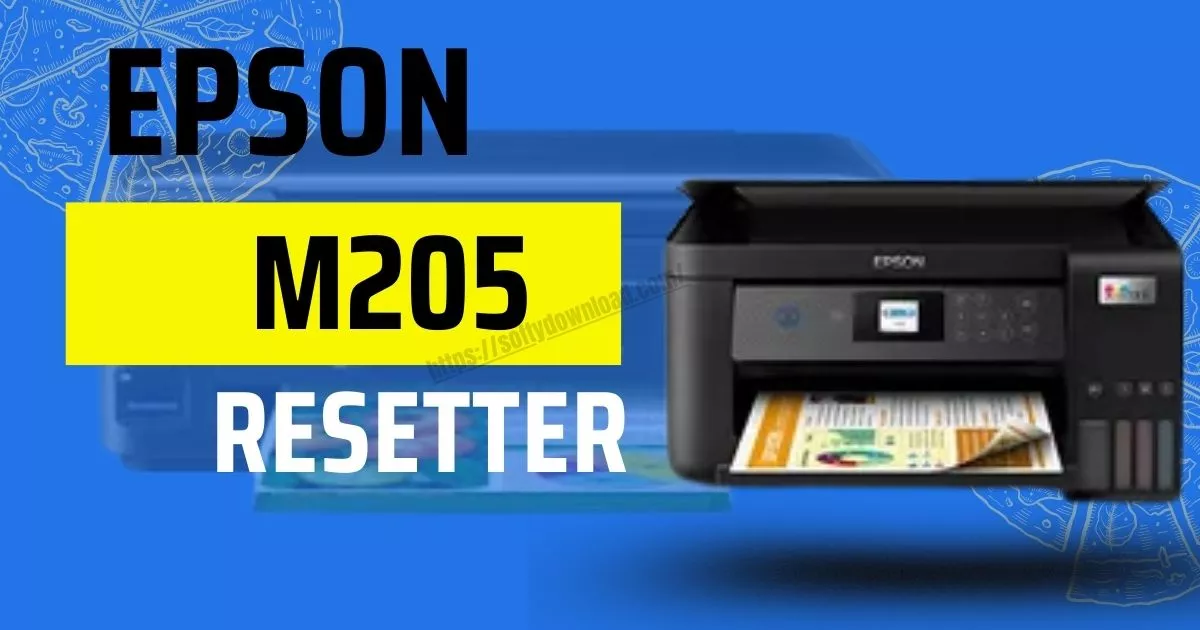 What Is the Epson M205 Resetter?
The Epson M205 resetter is a small software application made to reset the internal waste ink counter of the printer. Used ink is kept in a sponge-like pad in Epson printers while they are cleaning. The printer gradually records this and, even if the pad isn’t yet physically full, finishes operating when a certain limit is reached.
The resetter tool comes in useful here. It notifies the printer that the waste ink counter has been reset to zero, which fixes the issue and makes the printer functional once more.
How to Reset Epson M205 Using the Resetter Tool
Follow these step-by-step instructions to safely reset your Epson M205:
- Get the Epson M205 resetter software from a reliable source.
- Using WinRAR, 7-Zip, or a similar program, extract the ZIP file.
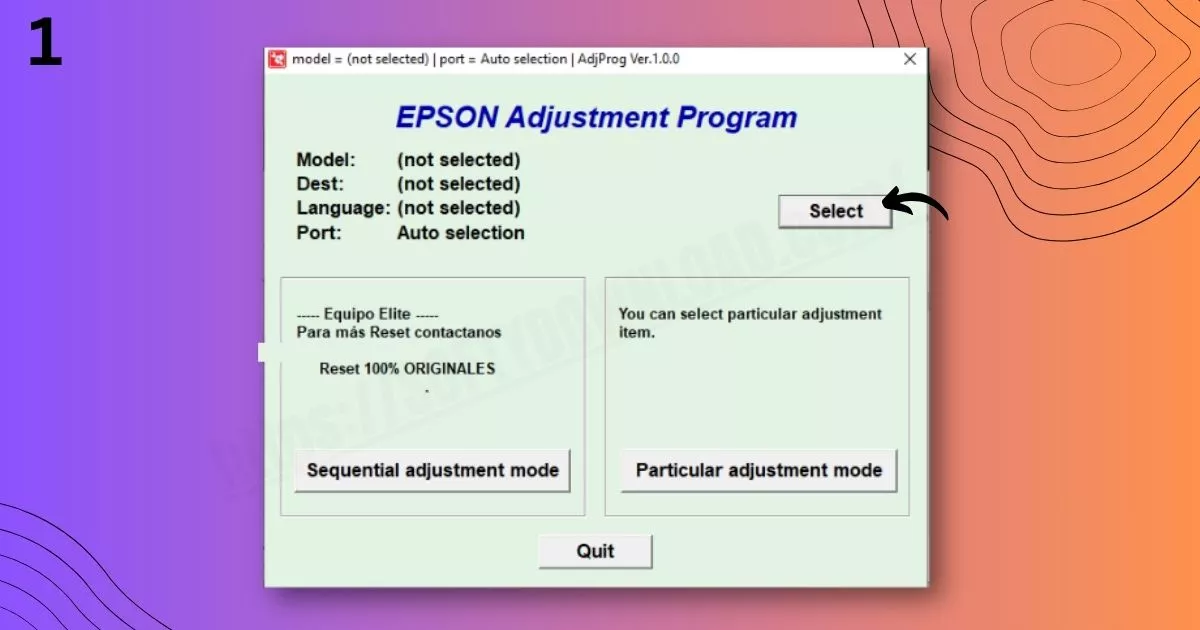
- Open AdjProg.exe or another similar program after opening the folder.
- Use a USB cable to connect your M205 printer to the computer, then switch it on.
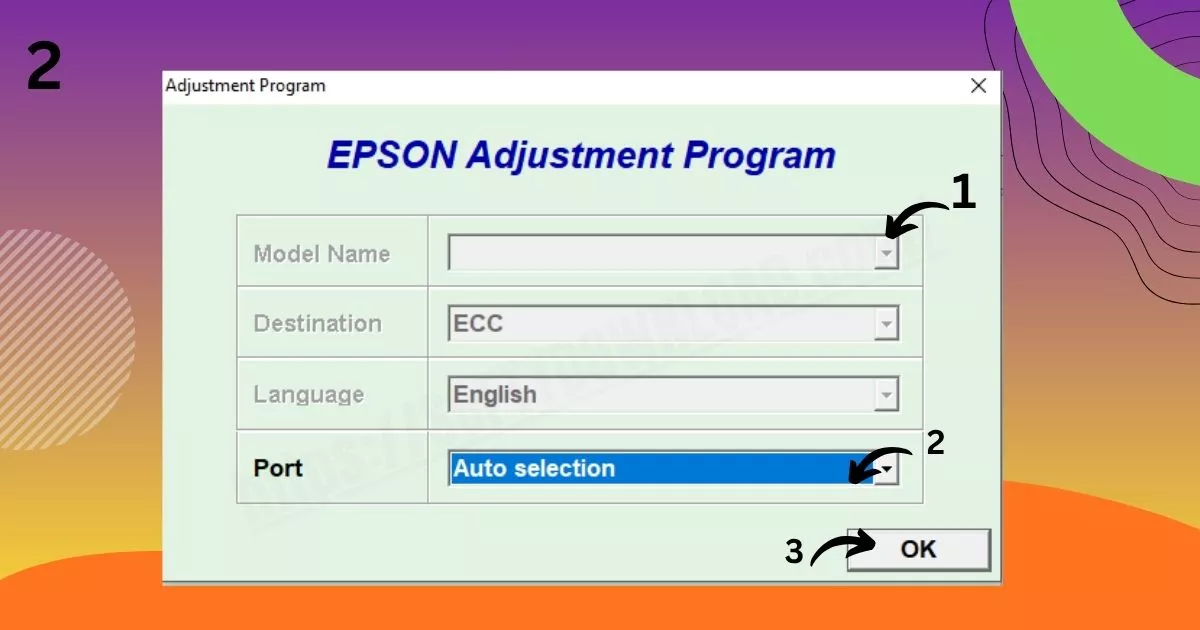
- If requested, select your printer model in the software.
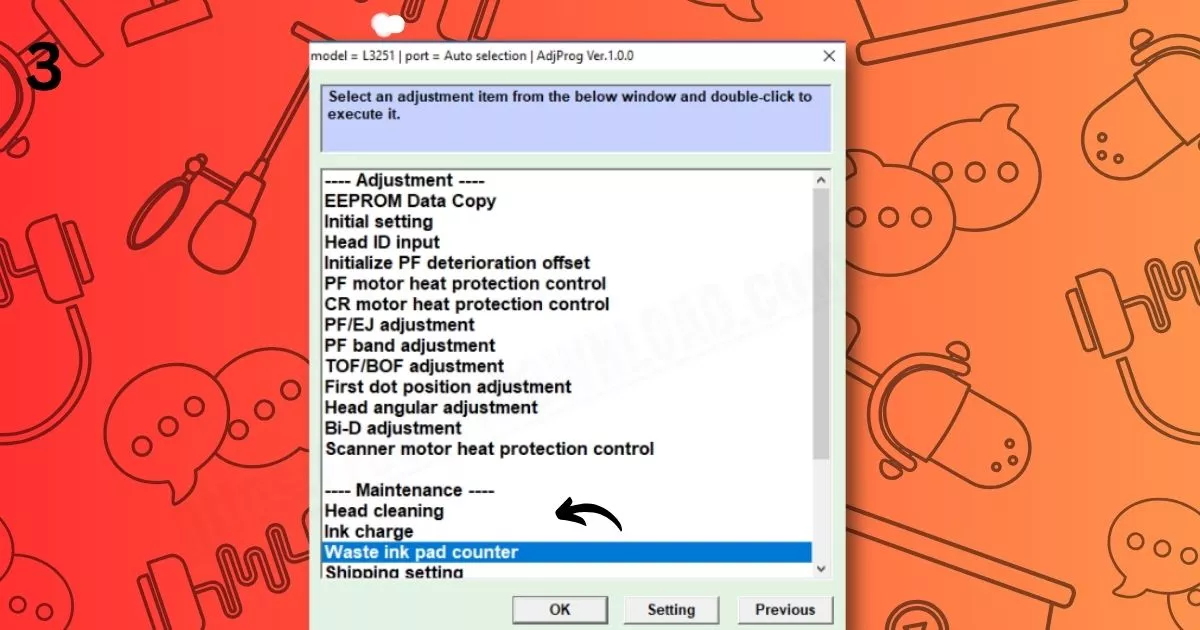
- Select “Specific Adjustment Mode.”
- “Waste Ink Pad Counter” should be selected.
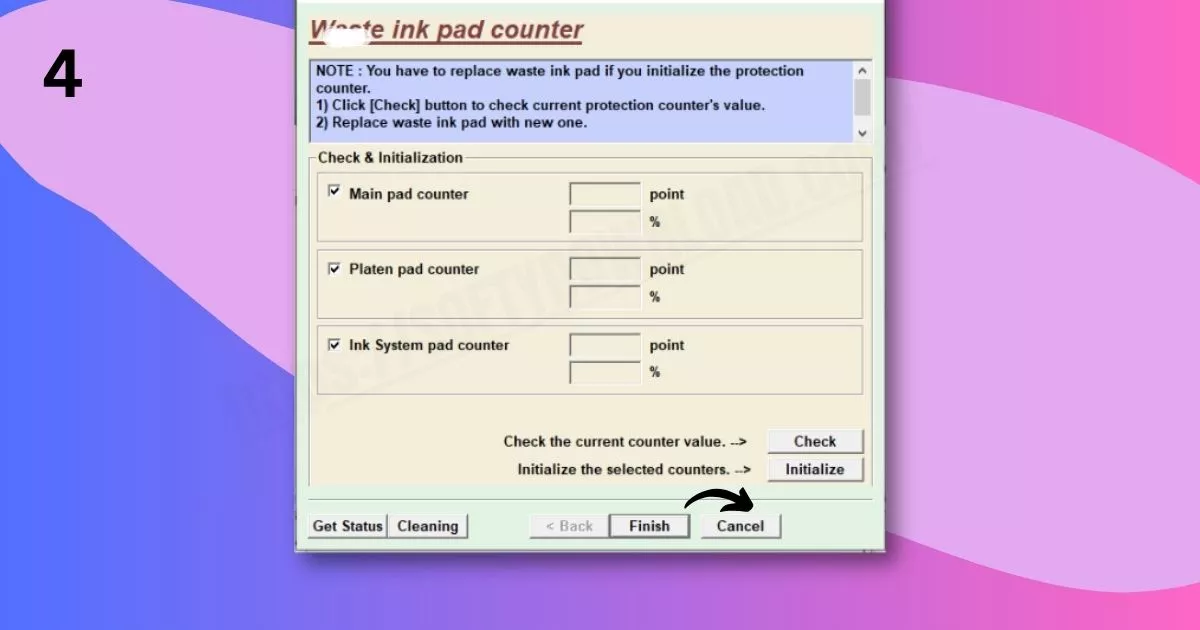
- Select the “Main Pad Counter” checkbox.
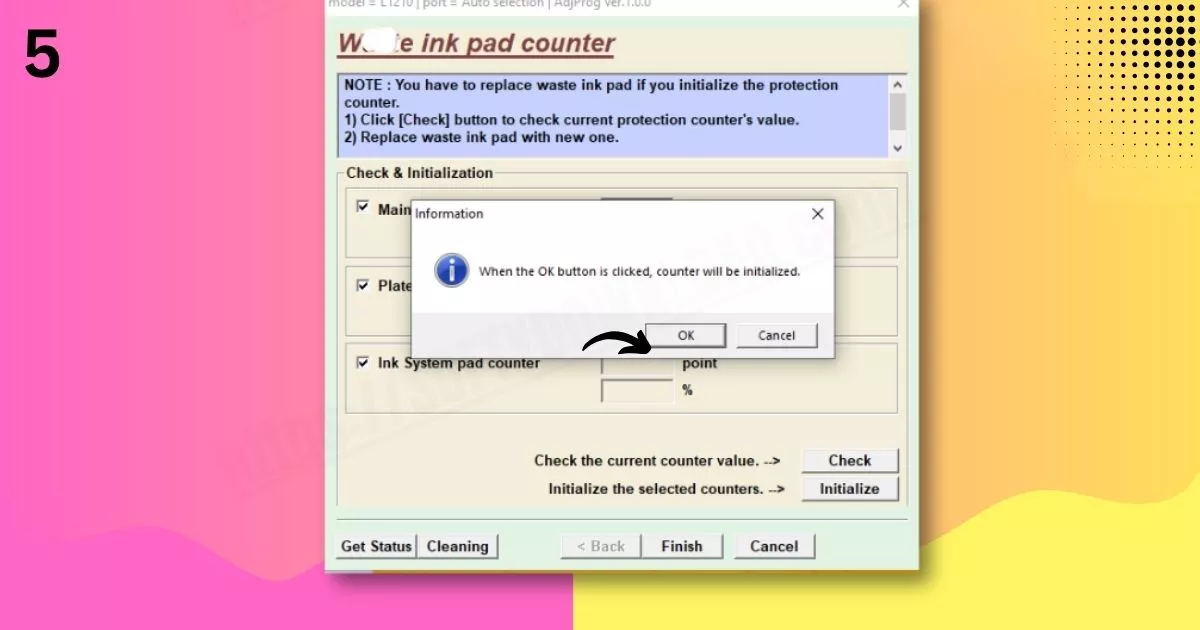
- After viewing usage by clicking “Check,” click “Initialise.”
- When asked, turn off the printer after waiting for it to finish.
- Turning the printer back on should cause it to be reset and functional.
Tips
- Always use a resetter from a reliable source to avoid viruses.
- Reset only when you actually see a “Service Required” message.
- Repeated resets without cleaning the ink pad may cause ink to overflow inside.
When to Use the Resetter
- You see “Service Required” on your printer screen.
- Your Epson M205 is printing blank pages or not responding.
- The printer’s waste ink counter has reached its preset limit.
Frequently Asked Questions (FAQs)
- What is the Epson M205 resetter?
A software program that resets the printer’s waste ink pad counter. - Is using the resetter safe?
A: Sure, if it’s downloaded from a reliable source and used appropriately. - Is a reset key necessary to reset the printer?
A reset key may be required for certain tools, while others are free. - Why does my printer show “Service Required”?
A: It means the internal waste ink counter has reached its preset limit. - How often should I reset my Epson M205?
A: Only when the error appears—not regularly. Also, clean the ink pad occasionally.